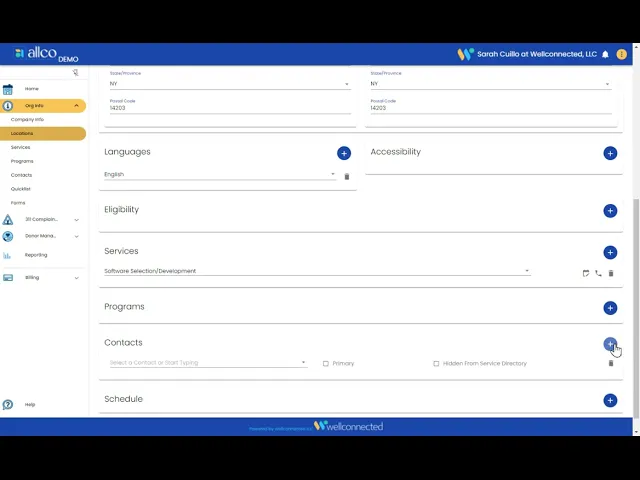
Add or Edit a Location
Need to add a new location for your organization? It's as simple as 1-2-3.
Published:
Last update:
Category
Organization Admins
Open up Your Organzation's Profile
Select Locations from the site map or the Tabs that appear on the top of the page
Click Add to create a new location or the pencil to Edit a location
Add all necessary information like address, name, etc.
Add the **Services** and **Programs** that operate of this Location
Add a schedule
Save!
Note - in order for the location to show in the Service Directory, you must add an active Service to this Location entry. Additionally, you must ensure the location is marked as Active
247 Cayuga Rd
Buffalo, NY 14224
We close the communication gaps by developing and reporting community and individual measures while also educating data owners regarding data literacy, technology accesibility, and financial stability.
Want to learn about how your organization can deliver better community care?
Website by Nervous Lemon