Identify & Record a Need
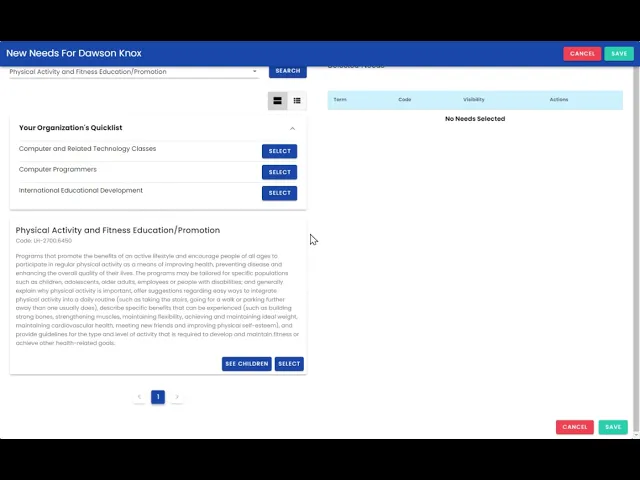
Explore the hierarchy of the taxonomy and customize your need search!
Published:
Last update:
Category
Needs & Referrals
Start with adding a need for a community member.
Click the Add button in the needs box to record a need for this community member.
Select how you would like to explore the taxonomy.
If applicable, select a Term from your organization’s created quick list.
Note: Learn more about Quick ListsSearch by Keyword or Term.
Use the toggle to refine your search to populate Terms that are serviced at a location in the service directory.
Adjust your privacy and Save!
247 Cayuga Rd
Buffalo, NY 14224
We close the communication gaps by developing and reporting community and individual measures while also educating data owners regarding data literacy, technology accesibility, and financial stability.
Want to learn about how your organization can deliver better community care?
Website by Nervous Lemon