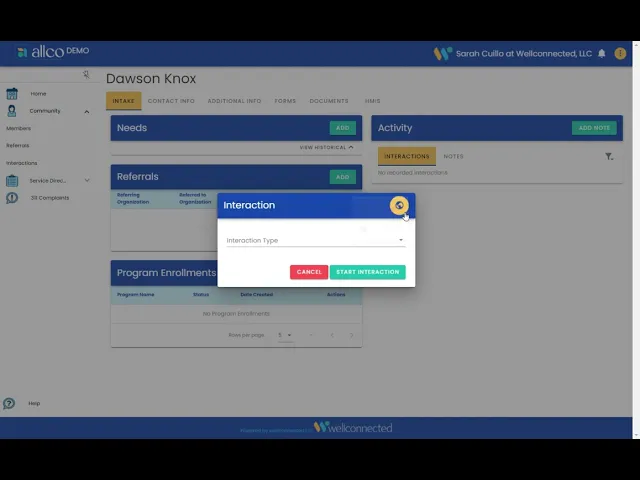
Interaction & Activity Privacy Settings
The best practices for letting a community know about the allco platform
Published:
Last update:
Category
Community Member Privacy
Users can now assign a privacy level to an Interaction
- Select a Community Member profile
- Select the privacy setting:
Private Interactions | can only be seen by people in your organization
Global Interactions | can be seen by all allco partner organizations
Note: Activities such as Referrals, Notes, Program Enrollments, and Needs will inherit the privacy setting chosen at the start of the interaction unless adjusted. You can only change the privacy setting on interactions and activities you’ve created.
247 Cayuga Rd
Buffalo, NY 14224
We close the communication gaps by developing and reporting community and individual measures while also educating data owners regarding data literacy, technology accesibility, and financial stability.
Want to learn about how your organization can deliver better community care?
Website by Nervous Lemon