Purchase Licenses
Want to buy allco licenses for your organization? Learn how to place your order!
Published:
Last update:
Category
Organization Admins
Add Billing Information
Access your organizations information by going to the Company Profile System.
Select “Unlock” on your home screen OR Licensing > Billing from the site map.
Add a payment method to your profile.
Note: You are required to update your billing information, prior to adding licensed users. You are required to update your billing information, prior to adding licensed users.
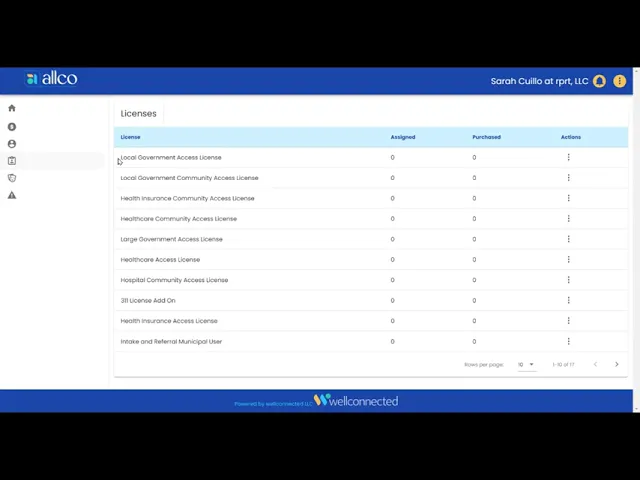
Add Licenses
Select Licenses from the site map.
Located the License Type you would like to purchase.
Select Modify Licenses.
Adjust the number to reflect the total number of licenses you would like to have.
Enter a promo code if you have one.
Save your Licenses!
247 Cayuga Rd
Buffalo, NY 14224
We close the communication gaps by developing and reporting community and individual measures while also educating data owners regarding data literacy, technology accesibility, and financial stability.
Want to learn about how your organization can deliver better community care?
Website by Nervous Lemon